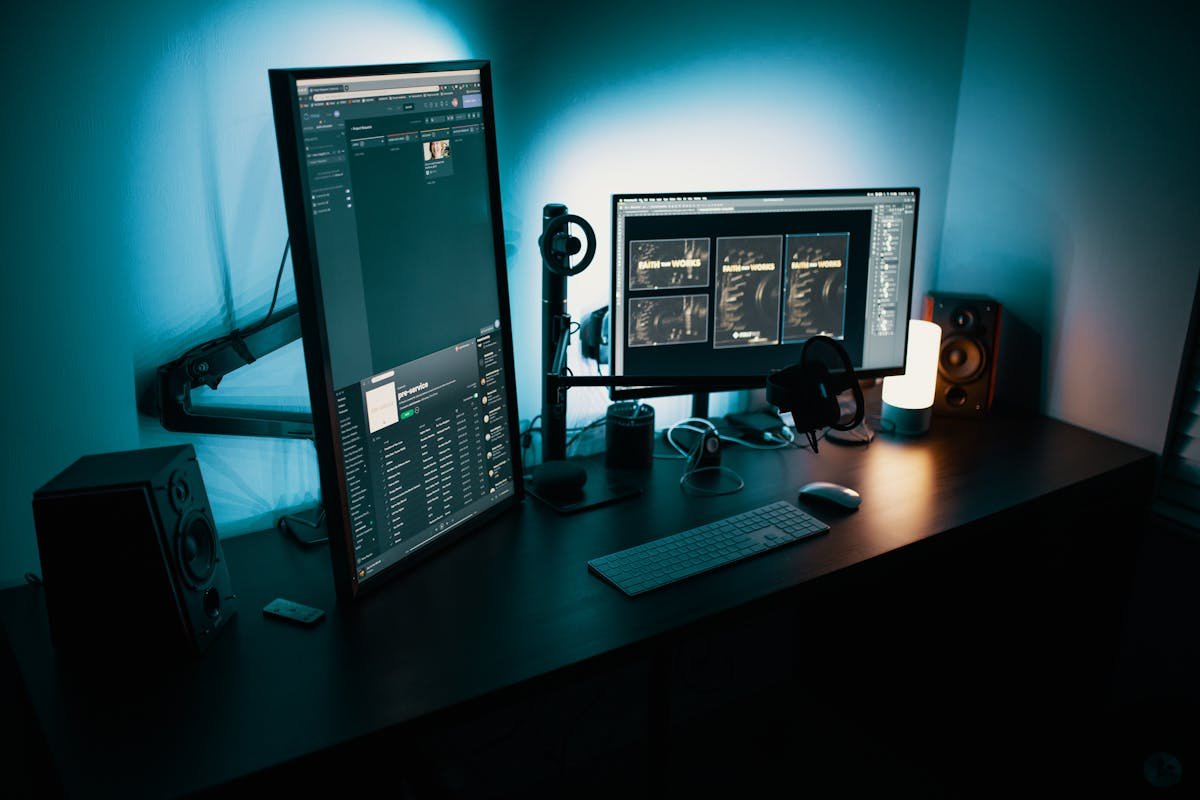
A developer’s monitor is their primary window into their work. Unlike gaming monitors where refresh rate and response time dominate the conversation, developers have a different priority set: text sharpness determines how long you can stare at code without eye strain, screen real estate determines how many panels, terminals, and browser windows fit comfortably on screen simultaneously, and ergonomics determine whether your neck and back are comfortable at the end of an eight-hour coding session. In 2025, the monitor market offers genuinely exceptional options for developers at every budget, from sub-$300 workhorses to premium 4K and ultrawide displays that transform the coding experience. Here’s what’s worth buying.
Key Specs That Matter for Developers
Resolution is the single most important specification for developer monitors. At 27 inches, 1440p (2K) is the minimum for comfortable, sharp text rendering. At 27 to 32 inches, 4K (3840×2160) produces exceptionally crisp text that dramatically reduces eye strain during extended coding sessions. Panel type matters too: IPS panels offer the best combination of color accuracy and wide viewing angles for most developer use cases, while OLED panels deliver superior contrast and deep blacks that are increasingly available at mid-range prices. Ergonomic adjustability — height, tilt, swivel, and pivot — deserves more attention than most buyers give it. A monitor that can’t be positioned to suit your specific desk and chair height creates long-term posture problems regardless of how good its display is.
1. Dell 27 Plus 4K (S2725QS) — Best Overall
After extensive testing across dozens of monitors in real development environments, the Dell 27 Plus 4K S2725QS consistently earns the best overall recommendation for developers. The 27-inch 4K IPS panel produces text so sharp that fonts look almost printed at normal viewing distances, eliminating the eye strain that lower-resolution panels cause over long sessions. The 120Hz refresh rate — increasingly standard in this class — provides smooth scrolling through code and documentation. USB-C connectivity with 90W power delivery allows single-cable connection to a laptop, simultaneously charging it and carrying display signal. Full ergonomic adjustability covers height, tilt, and swivel. At around $350 to $400, it delivers everything most developers need without overpaying for features that don’t improve the actual coding experience.
2. BenQ RD320UA — Best Purpose-Built Developer Monitor
BenQ has built a dedicated line of monitors engineered specifically for programmers, and the RD320UA is the flagship. Its 32-inch 4K IPS panel with a Nano Matte coating eliminates glare without the color washout that typical matte coatings introduce. The dedicated coding modes optimize text rendering and color balance for source code visibility specifically. A built-in KVM switch allows the monitor to control two computers simultaneously — invaluable for developers who work across a main machine and a test server. The MoonHalo ambient lighting reduces eye strain during night-time coding sessions. At around $700 to $800, it’s a premium investment, but for developers who spend 40+ hours per week in front of their monitor, the purpose-built optimizations justify the price.
3. LG 27UK850-W — Best 4K USB-C Monitor Under $400
LG’s UltraFine 4K monitor combines 4K resolution, accurate IPS color, and Thunderbolt/USB-C connectivity at a price that undercuts many competitors. The 27-inch panel is sharp and bright, sRGB color accuracy is strong for developers who also do design work, and the USB-C port delivers 60W charging alongside display signal. It’s a particularly clean recommendation for MacBook users who want a primary external display that integrates simply without requiring dongles or hubs. LG’s ergo stand provides full height and tilt adjustability, making it comfortable for developers of varying heights and desk setups.
4. Samsung 34-inch Ultrawide (S34A650) — Best Ultrawide for Developers
Ultrawide monitors have become increasingly popular among developers for a straightforward reason: the ability to have a code editor, terminal, and browser open side by side without window management friction. The Samsung S34A650 delivers a 3440×1440 resolution at 34 inches — wide enough for three comfortable columns of content — with a 100Hz refresh rate and a curved VA panel that wraps the display gently around the user’s field of view. For full-stack developers who regularly work across frontend code, a running local server, and browser DevTools simultaneously, an ultrawide setup can meaningfully reduce the cognitive overhead of constant window switching. At around $400 to $500, it’s a well-priced entry into the ultrawide category.
5. ASUS ProArt PA278CGV — Best for Developers Who Do Design Work
Developers who work with design tools alongside code benefit from color accuracy that general productivity monitors don’t prioritize. The ASUS ProArt PA278CGV delivers 100% sRGB and 95% DCI-P3 color coverage with factory color calibration, ensuring that colors rendered on screen match how they’ll appear in production. The 27-inch 1440p display at 165Hz also satisfies gaming use alongside professional work. For full-stack developers who handle UI work, designers who code, or anyone whose work touches both technical and visual domains, the ProArt PA278CGV handles both with equal capability.
6. Dell U2722D — Best Premium 27-inch for Multitasking
Dell’s UltraSharp line represents the company’s most rigorously quality-controlled displays, and the U2722D is the developer sweet spot in that lineup. The 27-inch 4K IPS panel with factory calibration delivers exceptional text sharpness and color consistency. The connectivity array is outstanding: Thunderbolt 4, DisplayPort, HDMI, and four USB-A ports make it a practical hub at the center of a developer workstation. Full ergonomic stand adjustability, precise color accuracy, and Dell’s reliability track record make it a long-term investment that’s unlikely to disappoint. At around $500 to $600, it sits in the premium value tier for buyers who want near-professional quality without the BenQ RD320UA’s price.
Should You Use One Monitor or Two?
The dual-monitor versus ultrawide debate among developers doesn’t have a universal answer. Dual monitors offer more total pixels and the ability to arrange content across two independent displays at any angle. Ultrawides offer seamless continuity across one panel without the bezel gap in the center of your view. Most developers who try ultrawide prefer it for tasks involving side-by-side work, while those who frequently reference documentation on a secondary screen alongside a primary coding display often prefer dual standard monitors. Your specific workflow — and whether a center bezel gap bothers you — should guide the decision.
Conclusion
Investing in a quality monitor is one of the highest-return hardware decisions a developer can make. You use it every hour you’re at your desk, and the right display reduces eye strain, accommodates more simultaneous context, and simply makes the work more comfortable. For most developers, the Dell 27 Plus 4K delivers the best combination of resolution, connectivity, and price. Those who want purpose-built developer features should look at the BenQ RD320UA. And anyone who wants to try the ultrawide format should start with the Samsung S34A650.
FAQs
What resolution is best for a developer monitor?
4K (3840×2160) at 27 to 32 inches is the ideal resolution for developers because it renders text at a sharpness that eliminates eye strain during extended coding sessions. 1440p at 27 inches is a solid alternative that costs less and requires less GPU performance from your laptop or desktop.
Is an ultrawide monitor better than dual monitors for coding?
It depends on your workflow. Ultrawide monitors provide seamless horizontal space for side-by-side coding, terminal, and browser windows. Dual monitors offer more total pixels and the flexibility of different content at different angles. Most developers who primarily want more horizontal workspace prefer ultrawides; those who want a dedicated reference screen alongside a coding screen often prefer dual setups.
Do I need a 144Hz+ monitor for development work?
Not for code quality, but high refresh rates (100Hz+) make scrolling through code and documentation noticeably smoother, which reduces eye strain over long sessions. Most modern developer monitors in the $300+ range include 100Hz or higher refresh rates as a standard feature.